Documentation Index

Fetch the complete documentation index at: https://cloudsineai-5cd7c547.mintlify.app/llms.txt

Use this file to discover all available pages before exploring further.

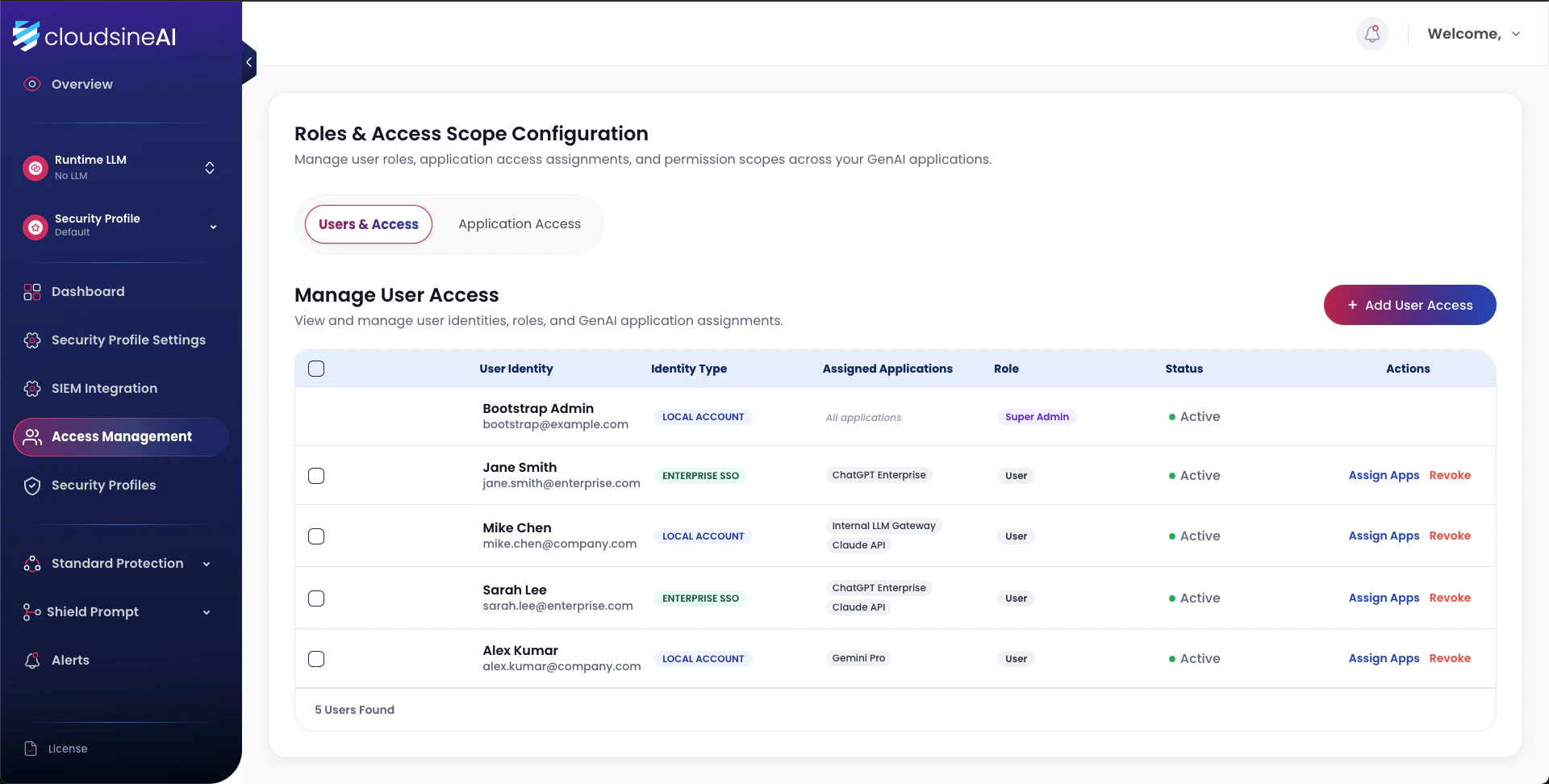
Protector Plus supports two identity types and two role tiers. Local accounts are used for bootstrap and break-glass; Enterprise SSO is the recommended production identity source.
Roles and Access management

Identity types

Identity typeAuthentication
Local dashboard accountCredentials managed within Protector Plus. The initial admin is a local account for bootstrap and break-glass.
Enterprise SSOAuthenticates against your IdP. Bind once; identities are then granted roles within Protector Plus.

Roles

RoleScope
Super AdminGlobal. View/manage all profiles, all logs, all applications. The only role permitted to bind applications to profiles or configure SIEM.
App UserBounded to assigned applications. View/manage profile settings and logs for those applications only.

Adding a user

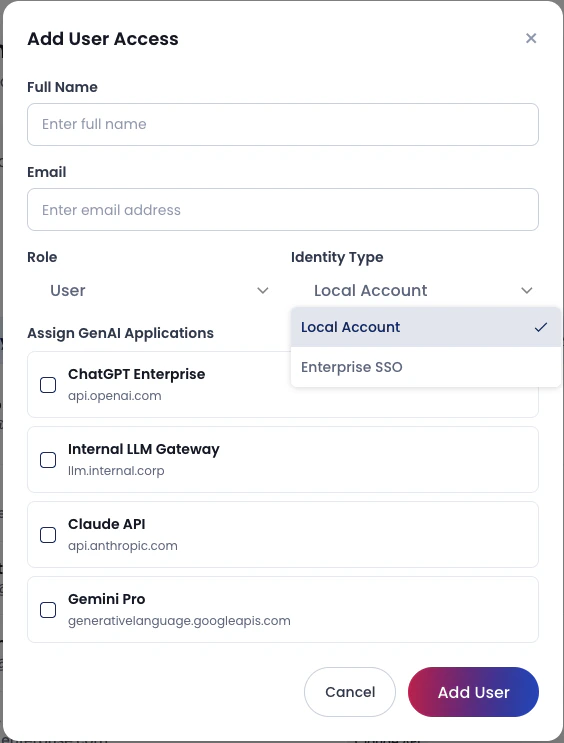
Add user access
1

Open Access Management → Add User Access

Available to Super Admin only.
2

Choose identity type

Local Account for break-glass; Enterprise SSO for normal production users.
3

Assign role and applications

Select role (Super Admin or App User) and tick the applications the user should access.
4

Save

The binding is active immediately.

Access matrix (TDD)

IdentityRoleView profileChange profile settingsCreate profileView security logsManage app bindingsAssign Super AdminSIEM config
LocalSuper AdminAll appsAll appsYesAll appsYesYesYes
SSOSuper AdminAll appsAll appsYesAll appsYesYesYes
LocalApp UserBounded onlyBounded onlyNoBounded onlyNoNoNo
SSOApp UserBounded onlyBounded onlyNoBounded onlyNoNoNo

Dashboard role matrix (User Guide)

A simplified per-page matrix used by the dashboard:
RoleView alertCreate accountView access logModify guardrailModify LLMGenerate API key
UserYesNoNoNoNoNo
AdminYesYesYesYesYesYes

Audit trail

Open Profile → Access Logs to view dashboard account activity (logins, profile changes, API-key generations). Export to CSV from the bottom of the page for offline retention.

Bootstrap recovery

The initial local Super Admin remains available even after SSO is bound, providing a break-glass entry point for recovery scenarios. Treat the local admin credential as sensitive — store it in your secrets vault.